Compute Web App – SoQut Imaging 2017 ex-software
Compute Web App (or CWA), SoQut Imaging 2017 ex-software, is an open source software designed for data-intensive distributed computing of scientific data controllable via a RESTful API. It has been originally developed for SoQut Imaging between 2017 and 2021. Ideally, each Compute Web App instance can handle a part of input data and thus this solution will be able to efficiently handle data sizes up to petabytes, useful for quantitative MRI for instance.
Why SoQut Imaging? Read a bit of history…
At the moment, a Compute Web App instance can manage data processes locally running in parallel. One CWA instance is available as a demonstration: demo.soqut-imaging.fr!
Compute Web App has been developed exclusively during spare-time and will be continued as is. It is now open source, so feel free to visit and contribute to Compute Web App project, proudly referenced by le comptoir du libre, framalibre and the free software directory.
Main features
- Designed for data-intensive distributed computing, written in pure Python, open source,
- Designed to execute command line processes and thus address a large scope of codes (C/C++, Fortran, rust, Python, julia, MATLAB, etc…)
- Fast and easy to deploy,
- Secured process parameters, data and results transfer,
- Simple RESTful API designed to:
- upload data,
- control and monitor processes and
- retrieve results,
- Simple and efficient web interface provided,
- Designed to run processes in parallel,
- Adapted to Cloud computing and to dedicated servers.
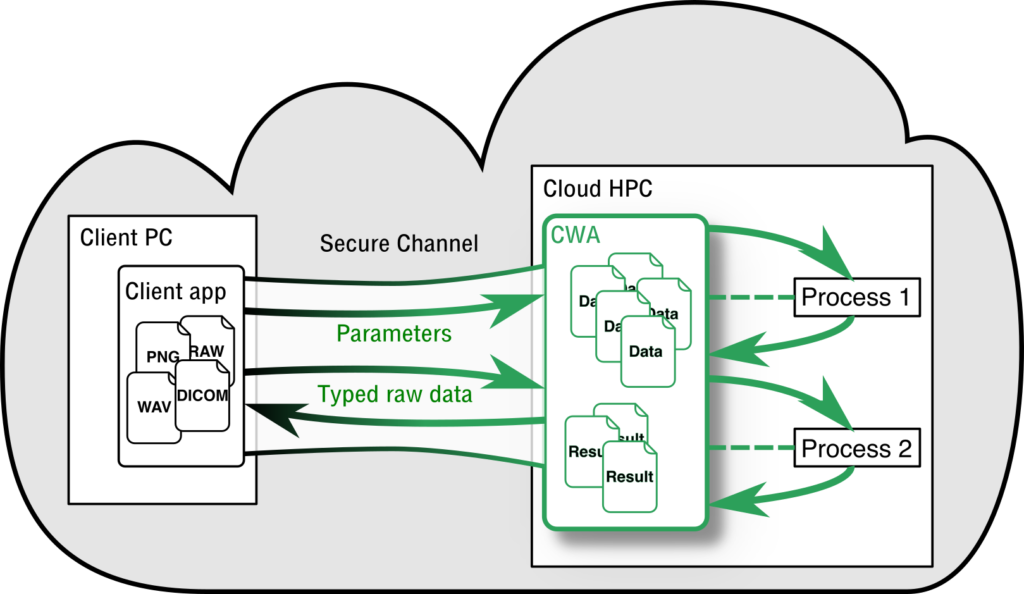
Prepare processes by interfacing them with CWA, develop a simple HTTP client in the application for uploading data and retrieve results and that’s it!
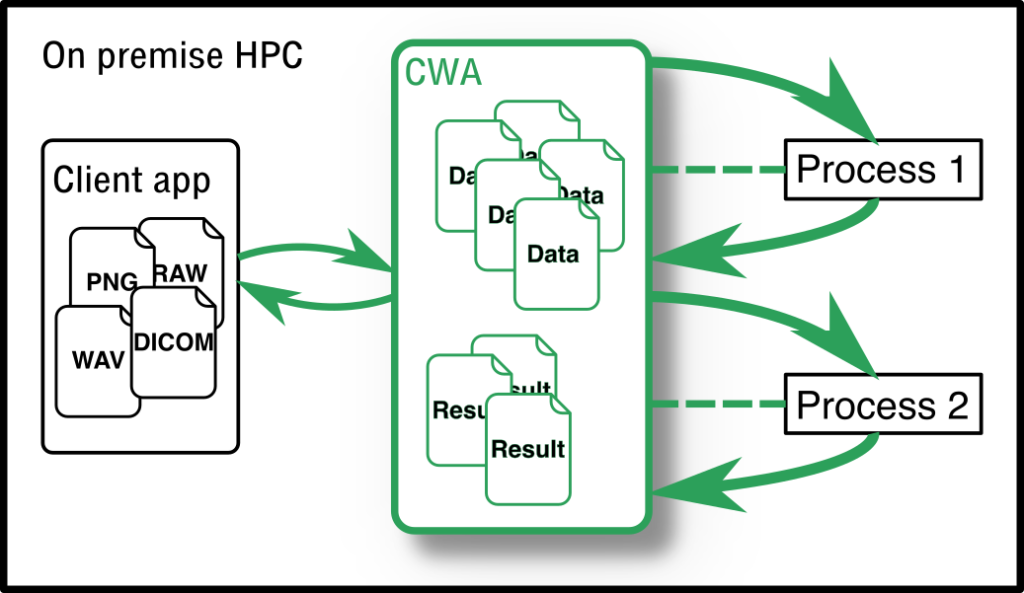
Data and results required to be kept in door? Great, just run it on a local High Performance Computer (HPC) as an “on premise” solution.